
The Chrome, Safari, Microsoft Edge, and Firefox browsers may not be as safe as you think. Security researchers recently discovered that computer chips manufactured in the past two decades contain major security vulnerabilities. One can be used by hackers to gain access to sensitive data.
Is your browser safe from Spectre?

Why UPS is necessary for network equipment

Fire, flood, storm, and other disasters can lead to power failure and productivity loss. Using uninterruptible power supply (UPS) for computers ensures you never lose unsaved work, but without internet, you’re practically crippled. To avoid that dilemma, we highly recommend using UPSs for your networking equipment, including cable modems, wireless access points, and routers.
Office 365 Update: New Tools You Need To Know

Yet again, Microsoft has released new AI-based features for Microsoft Excel, Word, Outlook, and more -- a continuing trend since 2016’s launch of the Microsoft AI and Research Group. If your business is subscribed to Office 365, this article will acquaint you with the newest features!
Automatically Uncover Trends in Excel Data
Finding useful information lurking in massive tables of jumbled numbers and data can be quite a headache.
Think before saving logins to your browser

There are a number of reasons you should be wary of saving your password to a digital platform. Just look at Yahoo’s data breach in 2013, which leaked passwords for three billion people. Even when your password isn’t compromised, saving it to a browser could have serious implications for your privacy.
5 social media trends of 2018

To say that social media is a small part of our lives is an understatement. Platforms like Facebook, Instagram, Twitter, and Snapchat are now integrated into our lives like never before. But what’s next? Can social media’s involvement go any further? These upcoming trends certainly point toward it.
IT hardware checklist for SMBs
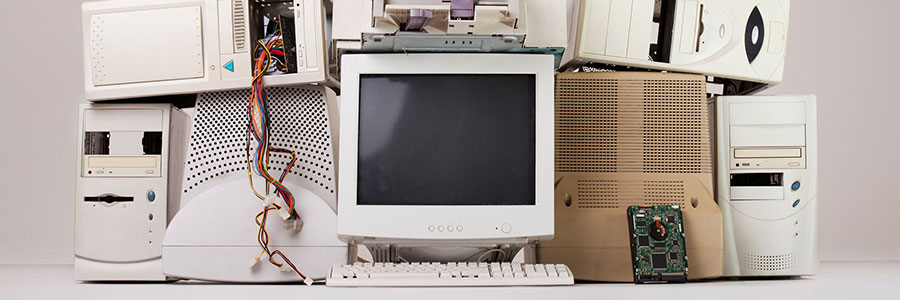
As a business owner, you don’t want to start the new year faced with last year’s hardware problems. And although you can’t leave every issue behind, you can start implementing policies to avoid some of the most common hardware issues you’ve previously encountered.
Hybrid cloud predictions for 2018

When thinking about cloud technology, public cloud tends to be the first type of platform that comes to mind. This is hardly a shock as it’s the most common type of cloud, but that might not hold true in the near future as hybrid cloud continues to grow.
Goodbye passwords: Why biometric security is the future of mobile protection

As our world becomes more digital, mobile security has never been more crucial. While passwords have traditionally served as the foundation of device protection, biometric authentication is redefining how we safeguard personal information. Using unique identifiers such as fingerprints or facial features, biometrics deliver stronger security and a smoother user experience, surpassing traditional passwords in both convenience and effectiveness.
Essential mobile security practices every business must implement

Discover essential best practices for effectively securing your mobile devices, from using strong passwords to using virtual private networks (VPNs) and keeping apps up to date. These simple steps can prevent costly data breaches and keep your company’s sensitive information safe from cybercriminals.
Safeguarding mobile devices: A guide for modern businesses

Mobile devices have become essential business tools, keeping employees connected and productive wherever they may be. However, if a mobile device is misplaced, stolen, or accessed by the wrong person, sensitive company data could be at risk. Below are practical steps to help secure your organization’s mobile devices.
- 1
- 2